Survival Log Tips and Tricks: 10 Best Survival Log Tips for Every Loop
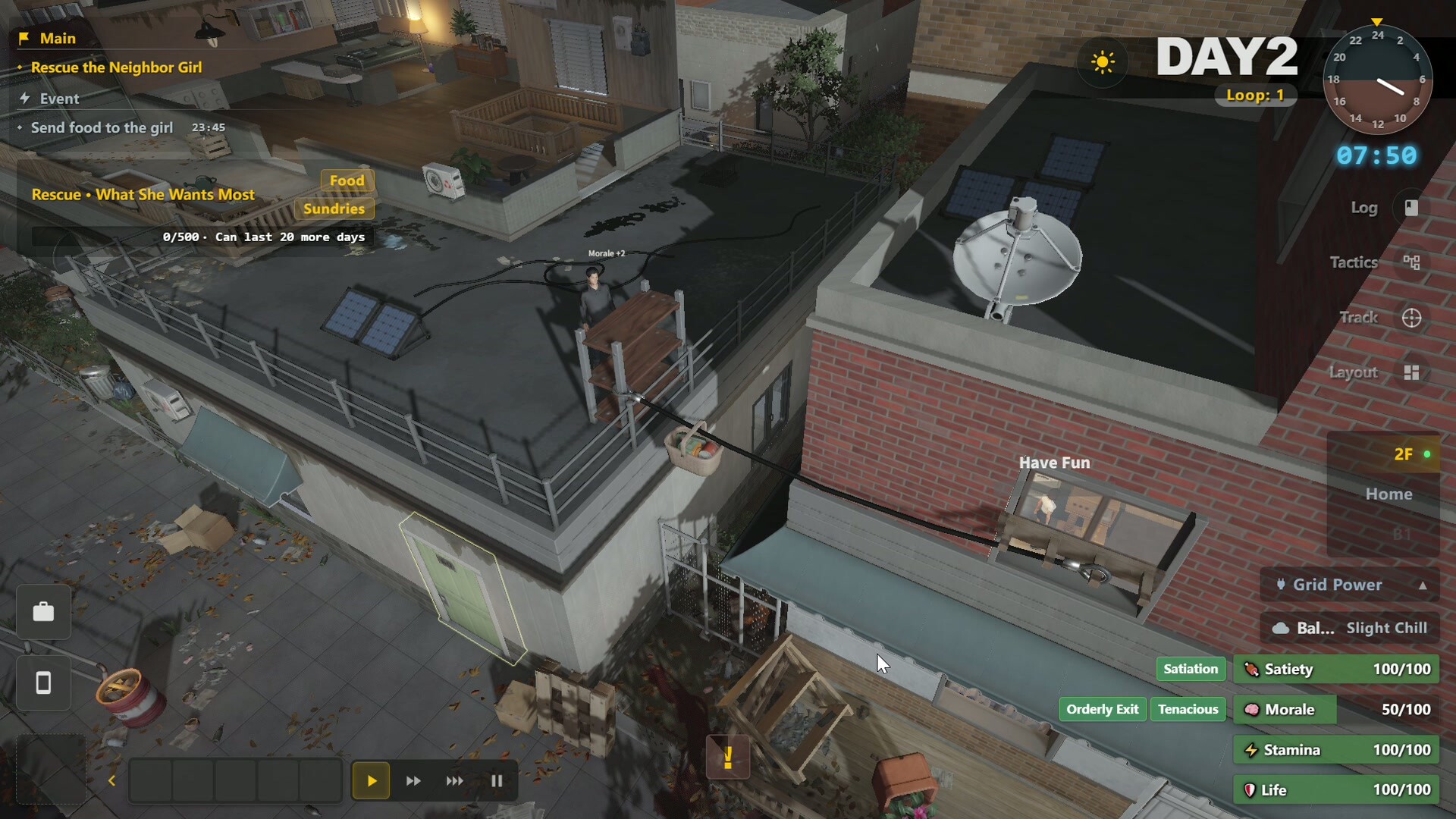
The best Survival Log tips come from understanding the 10-hour pre-disaster countdown and the safehouse management that follows. For every loop, your core goal is to have 20+ food types, 4+ material types, and all doors/windows reinforced by day 2-3. Below are the top Survival Log tips for money, stats, cooking, defense, exploration, and UI habits — all based on verified facts.
Top 3 Survival Log Tips Before Anything Else
Tip 1: Hoard variety, not just volume. The Well-Stocked Pantry achievement requires 20+ food types, and Ready for Anything requires 4+ material types. A stockpile of 50 kg of canned beans won't unlock either.
Tip 2: Keep cash until the last moment. The Penny Pincher achievement demands less than 50 money at disaster. Spend on supplies, but keep a small buffer for the final shopping run.
Tip 3: Reinforce doors/windows by day 2-3. The Iron Wall achievement (all doors/windows max) is a strong defensive baseline. Do not delay this even if you have extra food.
Money and Stockpile: Variety, Weight, and Storage Dimensions
Your stockpile weight matters: Prepper (5 kg), Fine Haul (25 kg), Doomsday Tycoon (50 kg). The Inventory Check achievement asks for satiety 1,200, items 180, and 8 storage furniture. That means you need space, not just a pile on the floor.
Storage furniture dimensions are key. The Tool Cabinet (80 slots, added in 8/14 patch) helps organize tools. Since the 9/4 update, all refrigerator types have their weight limits removed — storing food ingredients in fridges is no longer restricted by weight, so park your heaviest food stockpile there. Storage also gained a "Fertilizer" category label in the 9/8 update, with one-click placement by label. In the stockpile screen, use the resource search panel (8/13 patch) to find what you need fast.
Right-click transfer and E quick pickup (8/13 patch) speed up looting. When in doubt, buy more variety of food and materials — the game tracks types, not total calories, for the early achievements.
Weight milestones are real but exact unit weights are TBD. Keep an eye on your total kg in the inventory panel.
Survival Stats: Above 80, Life Above 20%, Stamina Refund
The Steady and Stable achievement requires Satiety, Morale, Stamina, and Life all above 80. The Never Fallen achievement requires Life never below 20%. Keep those four stats high before the final horde.
Stamina management changed on 8/15: cancelable actions no longer drain stamina. If you start building and cancel, you get a full refund. Use this for planning layouts without penalty.
Sleep (fully restores stamina since 8/14) is a safehouse action. Time your sleep to avoid the 3 AM midnight kitchen window, unless you want that achievement.
Morale is fragile. Cook meals, trade with neighbors, and use TV mini-games to keep it stable.
Cooking and Farming: Perfect Dishes, Deep Cultivation, Potted Plants
Fire It Up (first meal), A Good Meal (10 perfect dishes), and Perfectionism (30 perfect dishes in one loop) reward cooking. Perfect dishes require timing, but the exact recipe stats are TBD — practice in the kitchen.
Midnight Kitchen is straightforward: cook at 3 AM. Set an alarm or simply stay up; the 8/15 crisis warning bar doesn't affect cooking.
Deep cultivation card (8/14) is a farming card. Use it on your greenhouse plots to maximize yield. Green Thumb requires 24 potted plants — start early and keep them watered.
Neighbors return seeds (verified in trading system). Trade for new crops to boost perfect-dish variety.
Rainy-day planting is fixed as of 8/18: after daytime rain, balcony planting facilities no longer go into drought, and existing droughts clear automatically when it rains. In Custom Difficulty, setting extreme weather to a lower frequency now makes sunny days significantly more common.
Coffee finally pays off in the 9/9 update: player-crafted lattes, coffee, cappuccinos and honey coffee grant a "Caffeine" effect (+8 hours of Movement Speed) and restore more Stamina — brew them before long exploration or trading runs.
Defense and Hordes: 4-4-4, Front Door, Final Horde Day 87
Triple Defense requires 4 spikes + 4 electric nets + 4 chainsaws. That's the 4-4-4 setup for your safehouse perimeter. Do not neglect the front door; it takes the most damage.
The Final Horde is confirmed on Day 87. The exact first horde day is unconfirmed — do not rely on a fixed schedule before that. The crisis warning countdown bar (8/15 patch) turns red when a horde is imminent.
Zero Breach requires the final horde with no door/window damage. That means you need active traps, not just reinforced walls. Chainsaws and electric nets are your best defense.
Pulled Through (30 hordes) is a long-haul endurance goal. Space your resources — don't burn all traps on early waves.
Exploration and Trading: 6 Points, 8 Posts, Drones, Rat Traps
Traverse the Ruins requires 6 exploration points. The ruined supermarket is medium, abandoned school is large. Deep in the Hospital needs 3 clues — exploration is a core loop. Since the September 2 update, the Hardware Store and Ruined Supermarket exploration points are open 24/7, and loot you collect there decays on the same timer as supplies at Home — no more instant spoilage when you return.
There are 8 trading points total. Supplier (30 trades) and Aerial Scavenging (50 drone runs) both come from active trading. Drones are efficient for raiding small areas; use drone cards (8/14 patch) to expand capacity. The 9/9 update fixes scheduling two consecutive "Drone Trades" in the action queue (the second one used to fail silently) — and when a drone is out or has already traded for the day, you now get a direct prompt instead of repeatedly created orders that fail.
Rat Catcher (15 rats) feels small, but rats eat your food. Place Rat Traps (recipe fixed in 8/15 patch) near stockpiles.
Exploration maps show "overrun points" since 8/15 — avoid or plan around them.
Endless Mode: Limit Break, 30 Days, Threat Level 8
Endless Mode has three achievements: Limit Break, Refusing to Take a Bow, and Hold Out for Thirty Days. The final challenge is Threat Level 8, which is harder than the base game.
The 8/15 patch fixed Endless recipes: Rat Trap, Reinforced Components, Vase, Brewing Barrel, Disinfectant Spray. Use these to craft properly in Endless.
Threat Level 8 may require different strategies — the exact spawn rates are TBD. Test trap layouts and keep a reserve of repair materials.
Endless Mode is unlocked after your first loop, but the unlock condition specifically is TBD. Note that since the 9/8 update, defensive support challenges no longer appear in Endless Mode — they are a story-mode feature only, so plan your horde defense around the fixed 30-day/Threat Level 8 loop instead.
UI Habits: Auto Slow-Down, Phone Silent, Vision Mode
The 8/15 patch added auto slow-down when idle ("Relaxed"). This pauses the 10-hour countdown when you're AFK — a great quality-of-life feature, but don't rely on it for long breaks.
Phone silent/vibrate mode (8/15) prevents audio distractions. Vision mode is a personal preference — the game has a resource search panel so you don't need to eyeball every shelf.
Cancelable actions no longer drain stamina, so you can plan freely. The mental block fix (8/15) means you can't get stuck in a loop.
Workbench repair path from day 6 (8/15) is confirmed. Use it to maintain traps and tools.
Planning Points Guide: How the Time Loop Actually Works
Planning Points are Survival Log's daily action currency — every meaningful task (repairing, crafting, exploring, organizing) consumes points, and each in-game day gives you a fixed budget. When the day ends, unspent points are gone: the core skill is choosing one primary goal per day (a "thesis") and letting secondary chores fill the gaps, rather than spreading points across five half-finished tasks.
Points carry forward across deaths through the rebirth loop: after an ending, the Planning Points you spent on abilities stay unlocked for the next run. The 8/22 update (V1.0.14956) added a fourth respawn option — Tear Up This Round and Rewrite — which restarts the current cycle from day one and refunds all Planning Points spent this round without consuming a respawn chance. Use it when a run goes sideways early: it is a free mulligan, not a real death.
Cards you buy from the daily planning board unlock crafting recipes and passives. Verified examples from official patch notes: Fridge Management unlocks double-door refrigerator and freezer crafting (8/22 update), Slow Roast and Fine Bake unlocks the Electric Oven recipe (8/23 update), Capacity Upgrade adds a fuel slot per tier to every generator (8/20 update, three tiers), and Deep Cultivation trades growing time for higher crop yields (8/14 update). The 8/18 update (V1.0.14457) fixed several Planning Point settlement bugs after rebirth — if you played before mid-August and saw wrong +0 numbers on the ability page, they are patched.
Practical loop: spend early points on water and calorie buffers (Tier 0), then split points between fortification and one economy engine (farming OR drones, not both). Ending a day with leftover points means you hesitated; ending with five unfinished projects means you spread too thin. Both feel bad — pick one thesis, finish it, then diversify.
Warehouse Manager Storyline: Events, Recipes and Rewards
The Warehouse Manager is one of three playable characters (alongside the Wage Slave and the College Student), each with a unique safe house and ability set. The Warehouse Manager's home features a large warehouse area with cold storage, exclusive crafting slots, and the game's most complete storyline questline added during Early Access.
The storyline unlocks through the rescue questline: craft a Crowbar, reach the truck, and retrieve special items — the 8/14 update added narrative missions so you no longer miss these clues. Two storyline events were added on 8/21, and completing them unlocks three exclusive crafting recipes: solar panels, energy storage equipment and heating equipment. These are the only reliable post-disaster sources for all three, which makes the Warehouse Manager run the strongest for long-game power independence.
Ongoing official support keeps improving this character's scene: 8/15 fixed movement bugs between warehouse areas, 8/17 fixed cold-storage re-entry bugs, 8/22 made cold-storage furniture display freeze effects and affect food preservation instantly, 8/26 fixed kitchen-area stuck bugs, and the 8/31 update (V1.0.15369) reworked trap hunting inside the Warehouse and Outdoor areas with a more realistic prey ecology and higher rare-prey appearance rates. If you are choosing a first character for a long survival run, the Warehouse Manager's recipe exclusives give the best return.
New in the September 17 Update
Your Recipe Book finally keeps its order: recipes whose statuses have not changed no longer shift position after you cook a meal or add ingredients, so you stop hunting for a recipe whose slot you had already memorised. The Crafting Station now explains itself — hovering a locked recipe shows its unlock conditions, and clicking one gives a prompt instead of doing nothing. Rush-purchased items no longer vanish: if your backpack is full, anything that will not fit now drops on the ground, so leave backpack space before you set out. Extra distress beacons can be dismantled once Home holds two or more (the last one cannot), defence devices no longer take hits through walls from several meters away, and long Endless Mode runs no longer dead-end after surviving 200 days.
New in the September 12 Update
Rat cages now warn you before they stop: when a rat cage runs out of Food and stops generating power you get a notification, and the power panel states the reason. Rat corpses that do not fit your backpack now drop beside the cage instead of disappearing, so you stop losing meat — and rotten meat finally has a destination, because it can now be composted into fertilizer. The College Student gets a second Drone through a mid-game side quest at the Abandoned School: repair the old teaching Drone and you can run two Drone routes from Home. Planning Points are finally explained in game — a "?" icon next to the balance in the Abilities tab, the planning bar and the rebirth pages explains where points come from and what they cost, and rewards marked in event options are now credited immediately instead of at settlement. Disinfectant Spray works from any Container at Home, so you can leave a bottle in a cabinet instead of carrying it.
New in the August 19-22 Patches
Farming shortcut (added 8/22): hover over a planting pot and press E to run the most appropriate task for it (pest control, weeding, watering, harvesting), or press E on an empty pot to open the planting panel — rebindable in settings. Press C to open the Cell Phone (added 8/19, rebindable in settings). The 8/19 crafting overhaul redesigned the results popup — it now shows the finished product, quantity and proficiency progress directly, with a "Collect" hotkey and "Craft Again" button for continuous crafting. The 8/21 update fixed the planting queue (consecutive planting, tilling or fertilizing no longer gets stuck at the Flowerpot), made traps no longer block your movement routes, stopped zombies from avoiding traps, and corrected weather icons (heavy rain, cold wave and freezing rain no longer display as sunny or thunderstorm).
What the Community Is Doing Right Now
Most YouTube playthroughs are demo-era (July 2026) — they miss the 8/13-8/15 patches. Since EA launched 8/12, the game has been patched daily: 8/12 stability, 8/13 key rebinding, 8/14 college student + New Game+, 8/15 crisis bar + Endless fixes.
Players are testing the college student character (added 8/14, duplex shelter, now with a second Drone from the 9/12 update). The Warehouse Manager storyline is playable in full — it was completed on 8/21, its illustrations were redrawn on 8/31, and its post-disaster home gained its own background music on 9/17.
Community guides recommend the Student for farming/cooking, the Wage Slave for crafting. The exact spawn rates and timings are unconfirmed — trust verified facts only.
Ready to start your first loop? Read the Beginner’s Guide for a step-by-step day 1-3 plan.
Beginners Guide →